Step 6: Table Personalization
The settings in the dialog can also be persisted as you will see in the next step. In
this step, we will use the same setup as in step 5 except that we enable table
personalization in the view.xml.
Preview
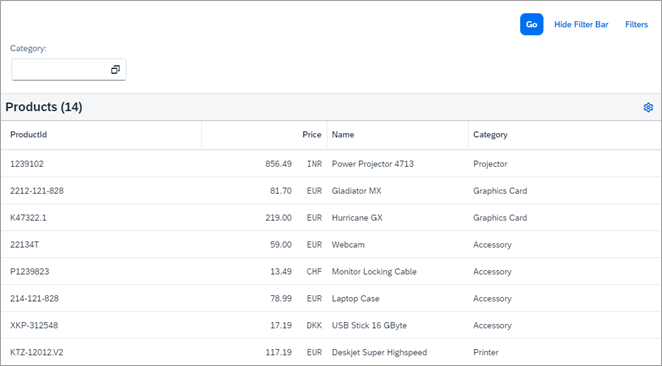
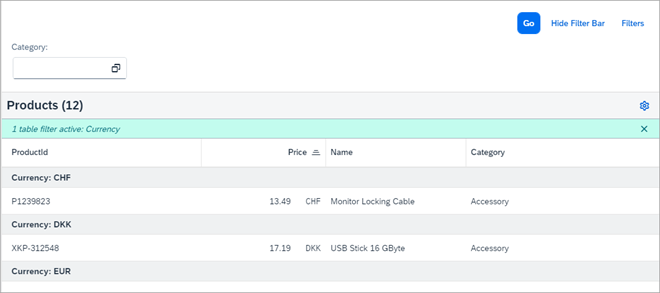
Starting from the main UI, we can enter the different personalization possibilities by pressing the Settings icon in the upper right-hand corner of the toolbar:
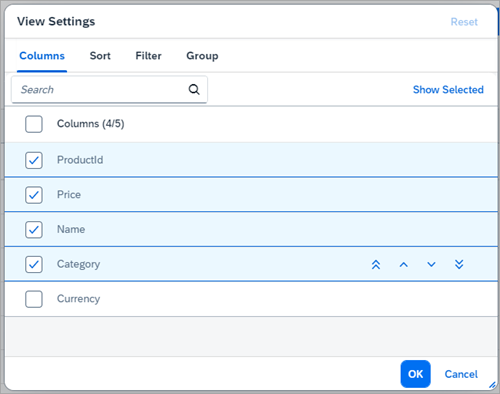
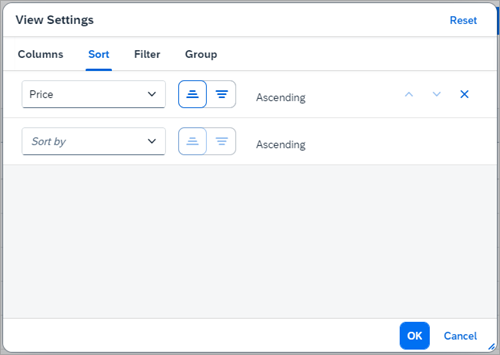
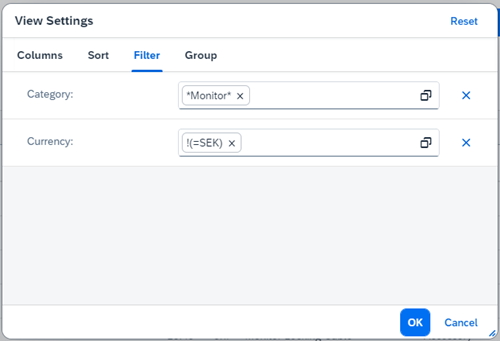
After doing this, you see a popup with four different tabs:

Coding
You can view and download all files in the Samples in the Demo Kit at Smart Controls - Step 6 - Table Personalization.
As mentioned above, we use the same content as in the previous step, so we refrain
from any code listings except for the view.xml. We should mention,
however, that fields that are not specifically marked as
sap:sortable="false", sap:filterable="false"
or sap:groupable="false" in the metadata will all be sortable,
filterable, or groupable, respectively, and thus be available in the tabs of the
personalization dialog.
Personalization.view.xml
<mvc:View
	xmlns="sap.m"
	xmlns:mvc="sap.ui.core.mvc"
	controllerName="sap.ui.demo.smartControls.Personalization"
	xmlns:smartFilterBar="sap.ui.comp.smartfilterbar"
	xmlns:smartTable="sap.ui.comp.smarttable">
	<smartFilterBar:SmartFilterBar
		id="smartFilterBar"
		entitySet="Products">
		<smartFilterBar:controlConfiguration>
			<smartFilterBar:ControlConfiguration
				key="Category" visibleInAdvancedArea="true"
				preventInitialDataFetchInValueHelpDialog="false">
			</smartFilterBar:ControlConfiguration>
		</smartFilterBar:controlConfiguration>
	</smartFilterBar:SmartFilterBar>
	<smartTable:SmartTable
		id="smartTable_ResponsiveTable"
		smartFilterId="smartFilterBar"
		tableType="ResponsiveTable"
		editable="false"
		entitySet="Products"
		useVariantManagement="false"
		useTablePersonalisation="true"
		header="Products"
		showRowCount="true"
		enableExport="false"
		enableAutoBinding="true">
	</smartTable:SmartTable>
</mvc:View>
To enable table personalization, we set useTablePersonalisation to
true. As will become clear in the next section, you would
typically use the table personalization together with view management since you can
then also persist any changes done to the table.
Parent topic: Smart Controls Tutorial
Previous: Step 5: Smart Filter Bar and Smart Table
Next: Step 7: View Management